
How to merge partitions with Partition Magic Server
Launch Partition Assistant, you'll see all disks and partitions that connected your computer.
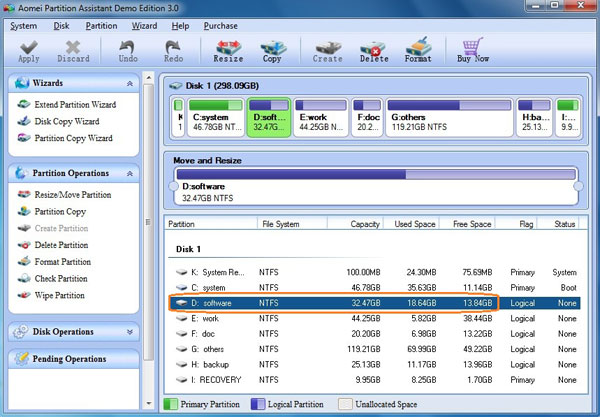
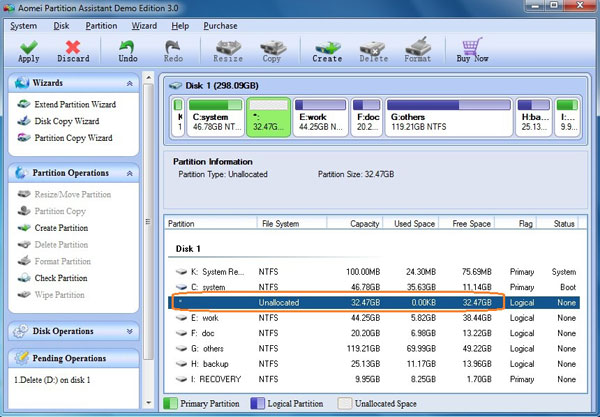
Step 1: Backup the files of drive D to other partitions and delete it.
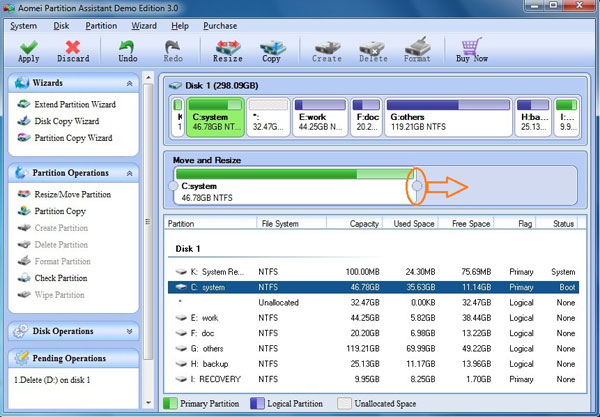
Step 2: Select drive C, drag the right border rightwards to hold the Unallocated space that deleted from Partition D.
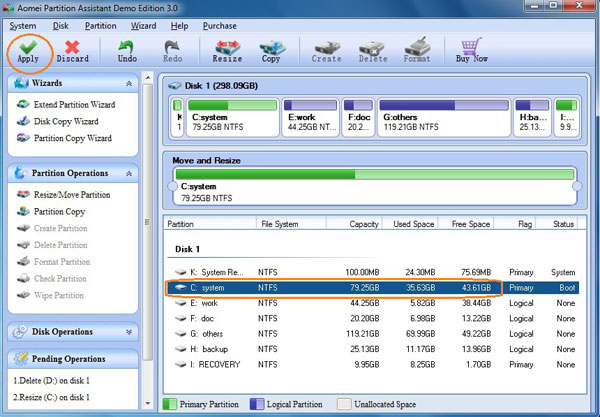
Step 3: You'll find that the space of Partition D is added to drive C, click Apply button to proceed.
Some products have Merge feature to merge partitions directly, but this is not safe, you'd better merge partitions step by step.