How to format partition
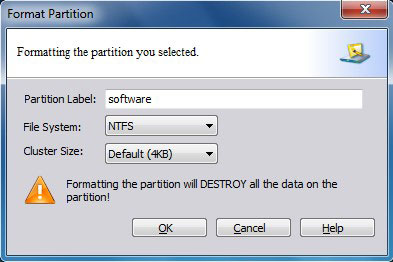
First select a partition you would like to format. There are three ways to format a chosen partition:
a. Select Format in the menu Partition.
b. Click Format button in the Tool Bar.
c. Select the button Format Partition under the group Partition Operations in the Action Panel.
Attention: Formatting will destroy all the data on the chosen partition. You cannot format the system partition.