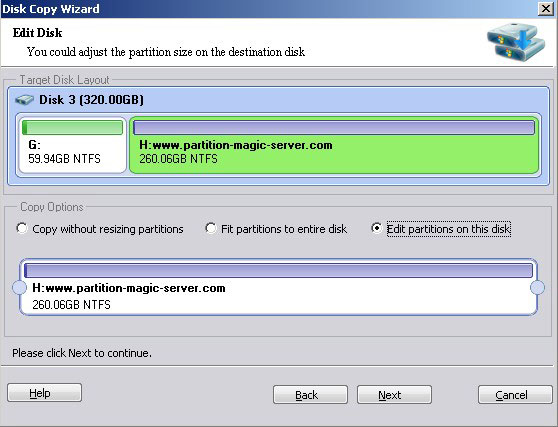
How to copy physical hard disk or RAID array virtual disk with ease
With Disk Copy Wizard feature, you can quickly and easily create an exact copy of your hard disk, including the operating system, applications, preferences, settings, and data.
When upgrading to a new hard drive, no need to waste hours of reinstalling Operating System, large amount of applications or modifying application settings.
How to copy physical hard disk or VMware/RAID virtual disk?
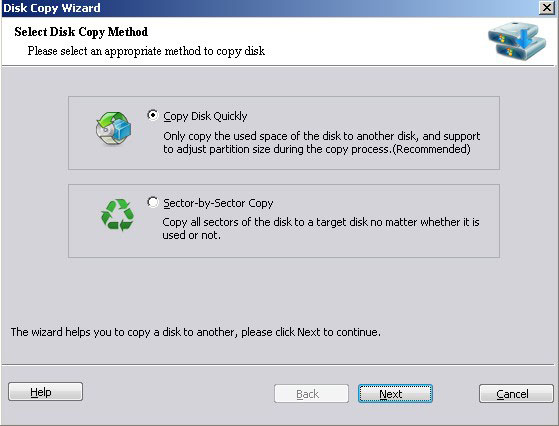
Step 1, Launch disk copy from menu "Wizard" > "Disk Copy Wizard", Select a copy method and click "Next".
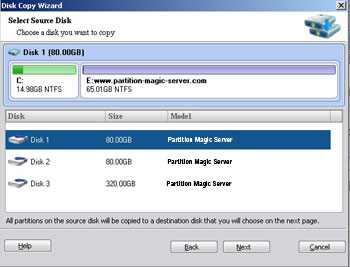
Step 2, Select source disk to copy from.
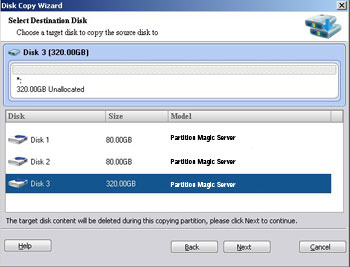
Step 3, Select targe disk to copy to.
Step 4, select a copy method.
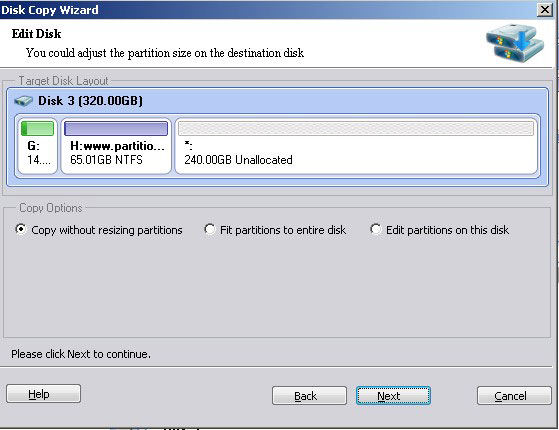
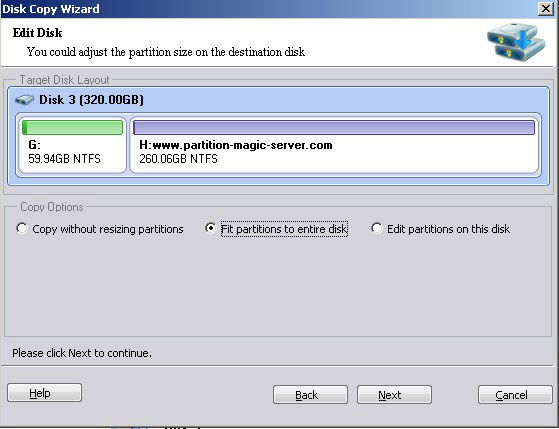
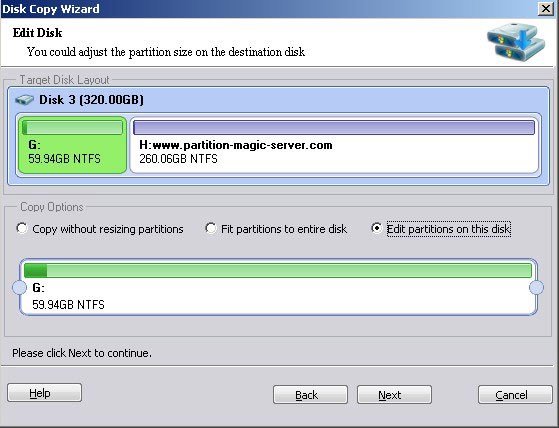
If you need to change the partition size on target disk, you may select either partition to edition (Drag left or right border).