
How to change drive letter
There are two ways to start the Change Letter operation:
a. Click Partitions in the top menu > click "Advanced" > "Change Letter".
b. Right click the partition, click "Adanced" > "Change Drive Letter".
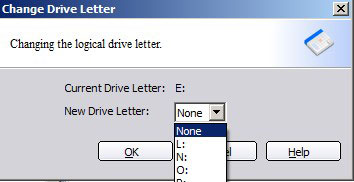
Tips:
1. You cannot select a drive letter in the drop down list if it has been assigned to another drive. For example, if D: was assigned to CD-ROM, you cannot select D: in the list when you changing the drive letter of a partition. However, you can assign another drive letter to CD-ROM to release D: and then assign to this partition.
2. No partition software can change the drive letter of a system partition as changing the letter of a system partition may cause your computer boot failure. To change system drive letter, you may change the record by "regedit.exe".